Askwell

Askwell/Features/Zoho CRM and email alerts

From the form to the CRM

An answer is only useful if someone acts on it. Askwell sends it where your team already works.

One click, no account. You get your own sample workspace with real forms and answers, cleared after seven days.

Zoho CRM and email alertsaskwell.techma.ai
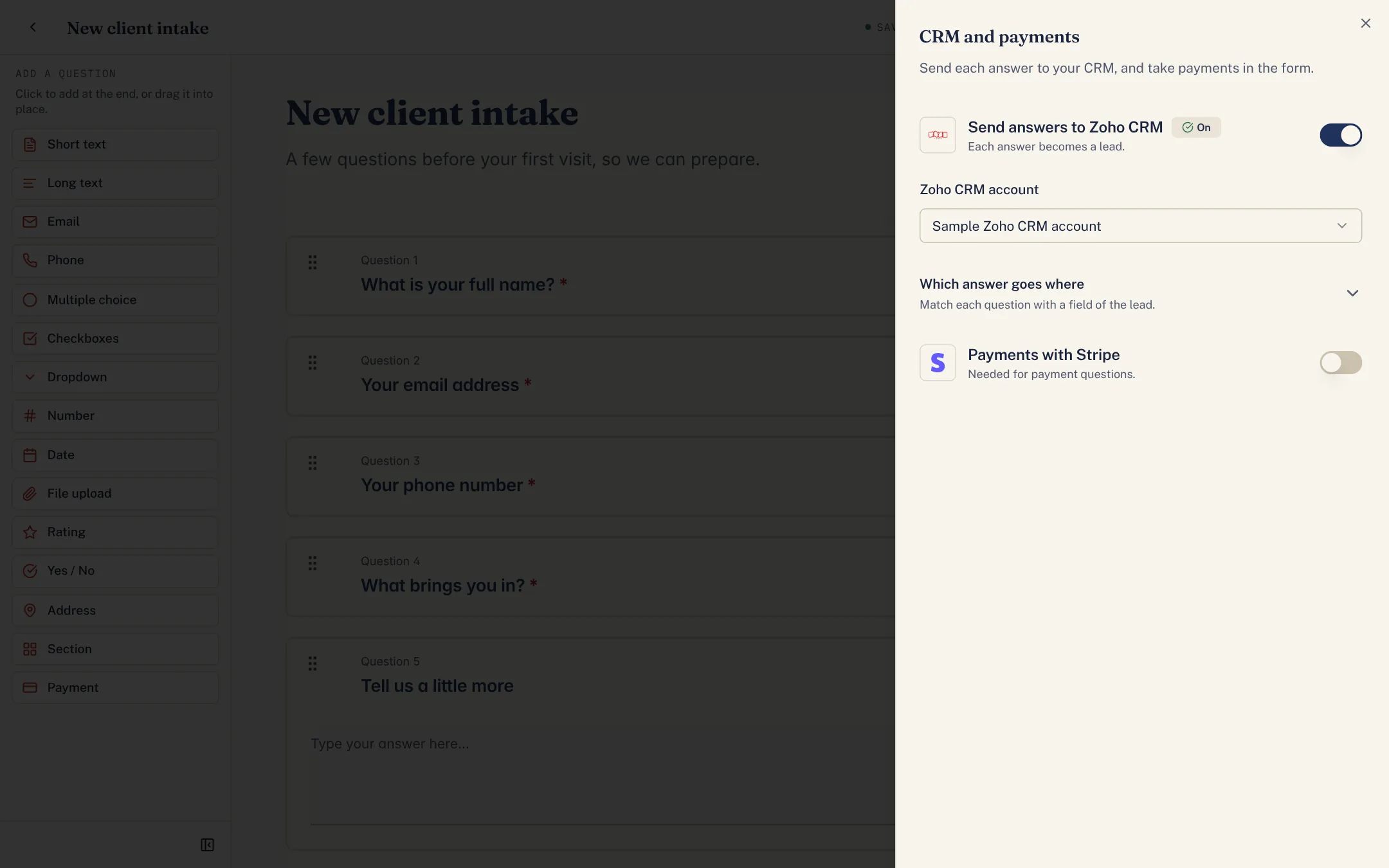
Askwell Zoho CRM panel matching form questions to CRM fields

Zoho CRM

Connect your Zoho CRM account once, then choose, form by form, which question fills which lead field: name, company, email, phone, address, source and more. A new answer creates the lead in Zoho CRM without anyone copying it.

Every Zoho data centre is supported, including Canada, the United States, Europe, India, Australia and Japan, so your data stays in the region your account uses.

Email alerts

Choose who gets an email when a form is answered, and with which subject. You can also write the invitation email your team members receive when you add them to the workspace.

Other tools

TECHMA connects custom versions of Askwell to the tools a business already uses: other CRMs such as HubSpot or Salesforce, accounting, calendars, e-signature, or an AI assistant that reads the answers. The demo shows Zoho CRM and Stripe.

Questions

Asked before the first call

Is anything sent to Zoho from the demo?

No. The sample workspace has a sample Zoho account; answers are matched but nothing is sent. Real keys cannot be saved in the demo.

Can it work with HubSpot or Salesforce?

Not in the demo. It is one of the connections TECHMA adds in a version built for your business.

● Your turn

Build a form. Answer it.

Askwell is a working application, not a mock-up. Open it, add a question, set a rule, publish, then answer your own form from your phone and watch the answer arrive.