Askwell

Askwell/Features/English and French forms

In English, en français

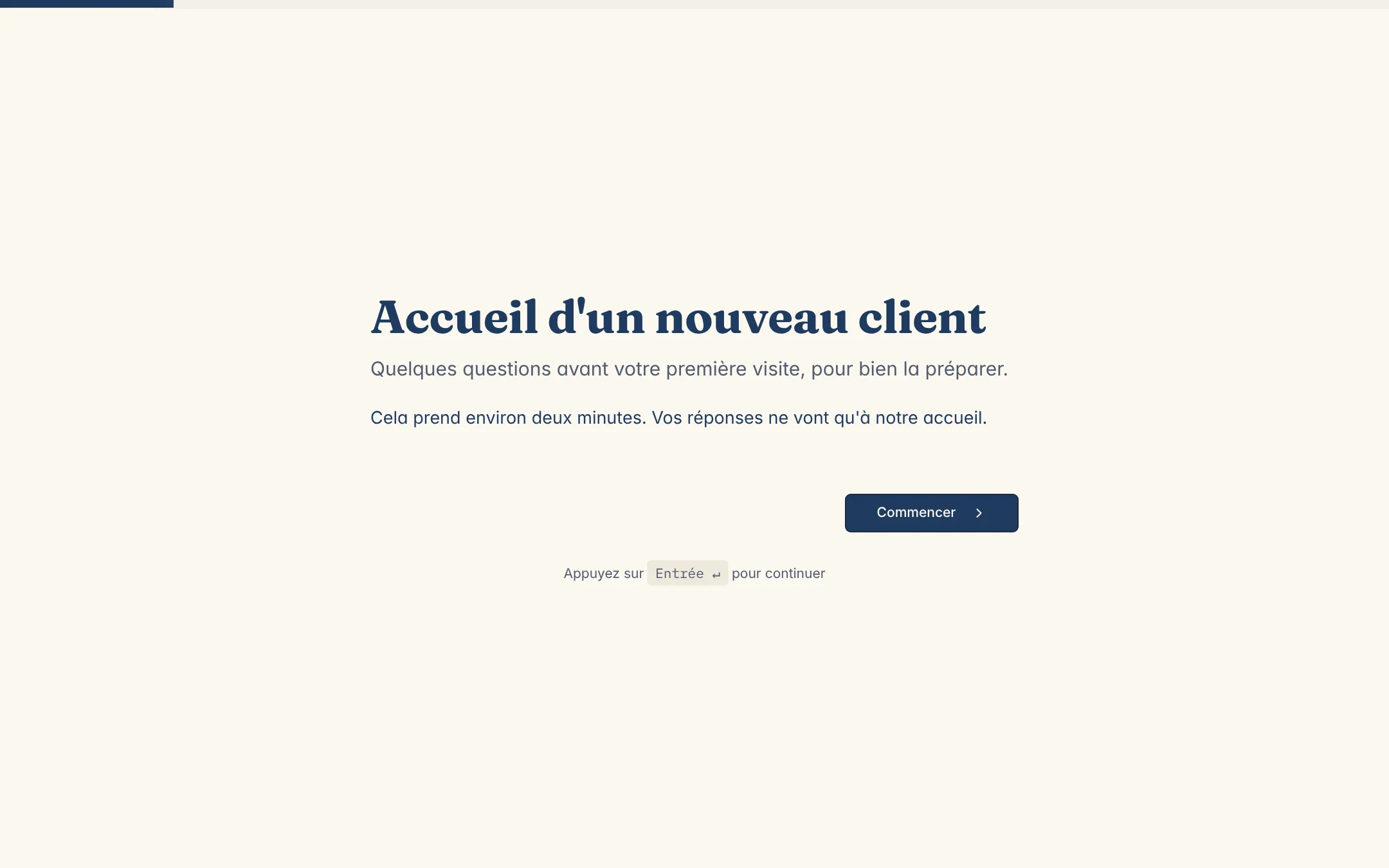
The whole app works in English or in French, and each form has its own language. A French form says Envoyer, shows French messages and reads like it was written in French.

One click, no account. You get your own sample workspace with real forms and answers, cleared after seven days.

English and French formsaskwell.techma.ai
An Askwell form in French, with the question counter and the Envoyer button in French

Two settings, two audiences

The app language is the one your team works in. The form language is the one the people answering read. A team in Montréal can work in French and send an English form to a client in Toronto, or the reverse.

Everything follows the form's language

  • Buttons, such as Next, Send and Back
  • The question counter and the progress text
  • Required-field and format messages
  • The thank-you message, until you write your own
  • The payment button

When you switch a form's language, the default button and thank-you texts switch too. Texts you wrote yourself are left alone.

Why it matters in Québec

In Québec, businesses are expected to serve customers in French. A form that is French from start to finish, not English with translated questions, is simply what people expect. For what the law requires of your business, consult a legal professional.

Questions

Asked before the first call

Can one form be in both languages?

In the demo, each form has one language; you make an English and a French version. A version built for you can let each person choose their language in the same form.

Is the sample workspace available in French?

Yes. Open the demo from the French pages, or switch language in the app, and the sample workspace is filled with French forms and answers.

● Your turn

Build a form. Answer it.

Askwell is a working application, not a mock-up. Open it, add a question, set a rule, publish, then answer your own form from your phone and watch the answer arrive.