Askwell

Askwell/Features/Design and branding

Your form, your colours

Every form carries its own look, so a clinic's intake form and a workshop registration do not have to look alike, or like Askwell.

One click, no account. You get your own sample workspace with real forms and answers, cleared after seven days.

Design and brandingaskwell.techma.ai
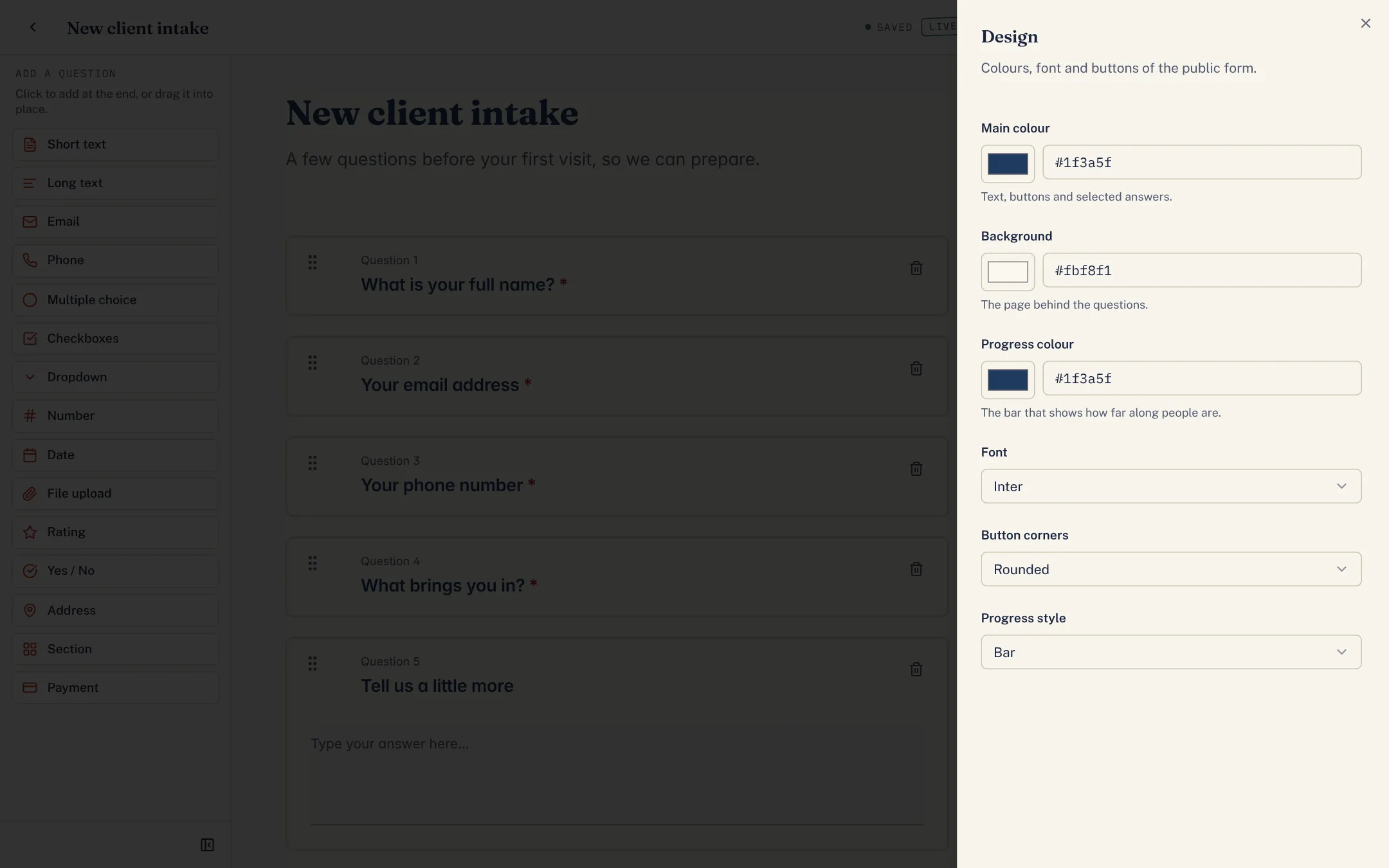
Askwell design sheet with colour rows, font choice and button style

What you can change

  • Colours: a main colour for text, buttons and selected answers, a background, and a progress colour.
  • Font from a short list chosen to read well on screens.
  • Buttons: rounded, square or pill corners, and your own text, such as Send my request instead of Submit.
  • Progress shown as a bar, dots, a percentage or a fraction such as 3/8.
  • Welcome screen with a title and a short description before the first question.
  • Thank-you message after the last one.

The form stays readable

The builder shows the form in its own colours, on light paper, even when you work in dark mode. What you see while you build is what people will see when they answer.

Beyond the demo

A version built for your business can carry your logo, your fonts and your domain on every form, and can lock the brand so every form your team builds matches.

Questions

Asked before the first call

Can I put my logo on forms?

In the demo, Settings lets you rename the workspace and upload a logo, shown in the app. A logo on every public form, your fonts and your domain are what TECHMA sets up in a version built for your business.

● Your turn

Build a form. Answer it.

Askwell is a working application, not a mock-up. Open it, add a question, set a rule, publish, then answer your own form from your phone and watch the answer arrive.