Askwell

Askwell/Features/Answers and contacts

Every answer, and who gave it

Answers arrive in one table per form. The people behind them arrive in one contact list for the whole workspace.

One click, no account. You get your own sample workspace with real forms and answers, cleared after seven days.

Answers and contactsaskwell.techma.ai
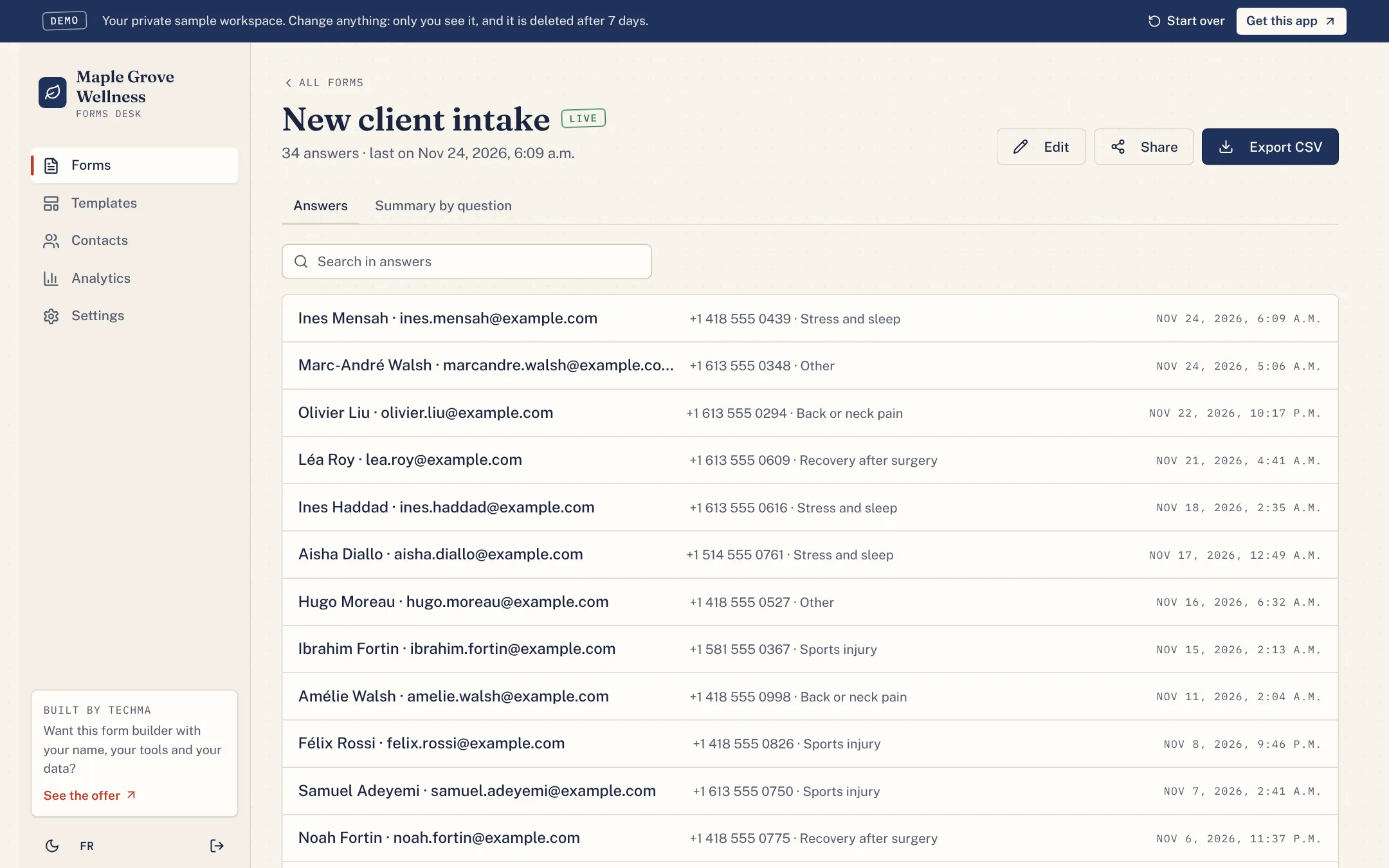
Askwell answers table with one row per answer and a column per question

One table per form

Each answer is a row, each question a column, with the date it arrived. Search across answers, open one to read it in full, and delete test answers you no longer need.

Export to CSV

One button exports the answers of a form to a CSV file that opens in Excel, Numbers or Google Sheets, with accents intact. The file is named after the form and the day.

Contacts that build themselves

When someone leaves an email or a phone number, they join your contacts with their name and the form they answered. Search by name, email or phone, filter by form, and export the list.

Alerts by email

Turn on email alerts for a form and choose who receives them, so the right person knows the minute a request arrives. In the sample workspace the alerts are shown but not sent.

Questions

Asked before the first call

Can I export to Excel?

Yes. The CSV export opens directly in Excel and keeps accents and line breaks.

Where do contacts come from?

From email and phone questions in your forms. Nobody is added to your contacts unless they answered one of your forms.

● Your turn

Build a form. Answer it.

Askwell is a working application, not a mock-up. Open it, add a question, set a rule, publish, then answer your own form from your phone and watch the answer arrive.