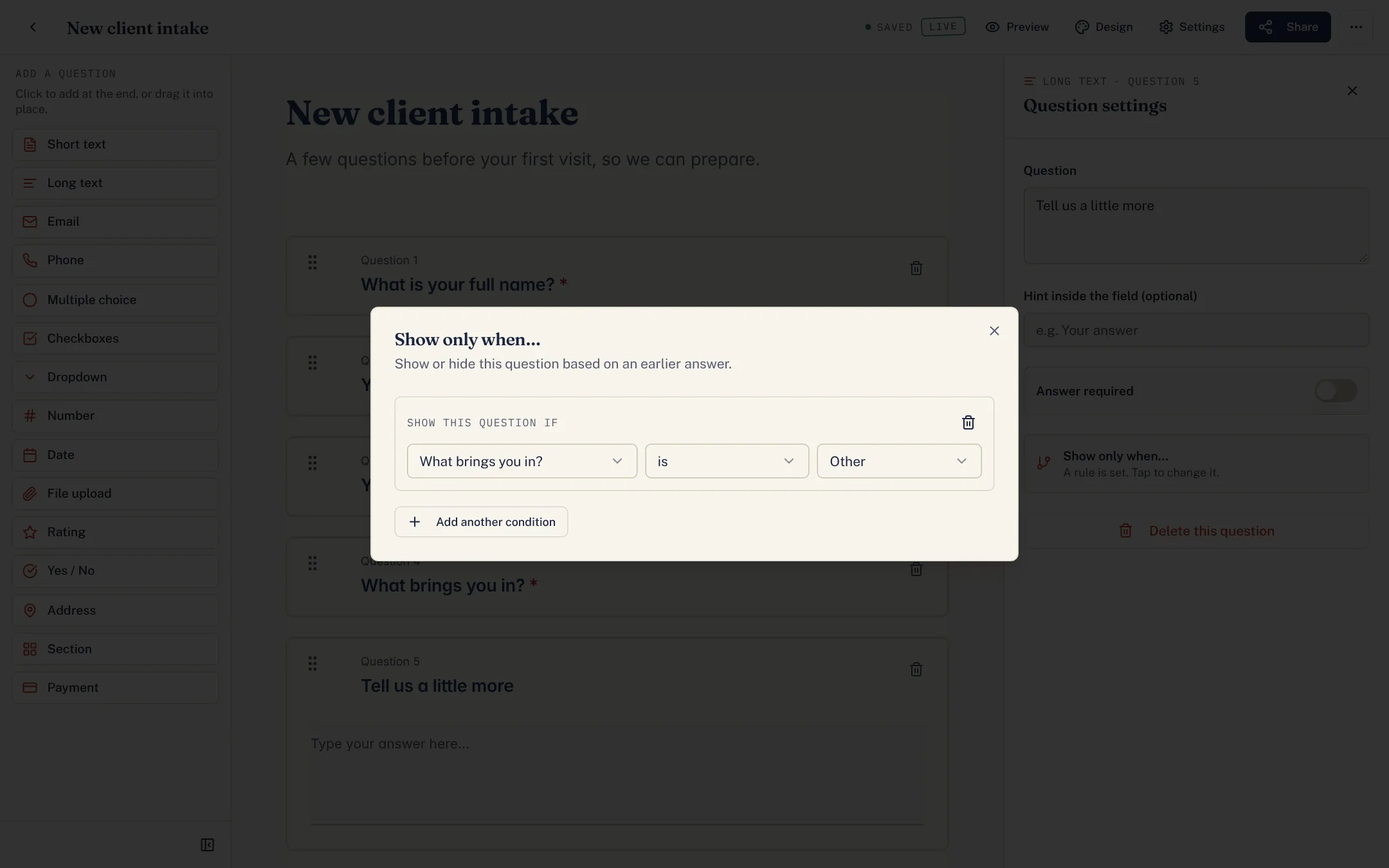
How a rule works
Open a question and add a rule. Pick an earlier question, a comparison and a value: for example, show Which coffee? only when Do you drink coffee? is Yes. Add more conditions and choose whether all of them must match or any one of them.
When the condition is not met, the question is skipped entirely. It does not appear, it is not required, and it leaves no empty column in the answers.
The right comparison for each type
- Choices and yes or no: is, is not, picked from the list of answers so there are no typos.
- Numbers and ratings: is, greater than, less than. A rating of 2 or less can open a question about what went wrong.
- Text: contains, does not contain. Useful for a keyword in a comment or a domain in an email.
Comparisons ignore capitals and extra spaces, so Yes, yes and yes with a space all match.
Patterns that work
- A follow-up question after a yes.
- A different set of questions per service, using a choice at the top.
- A request for details when a rating is low, and a request for a review when it is high.
- A payment question shown only to people who pick a paid option.