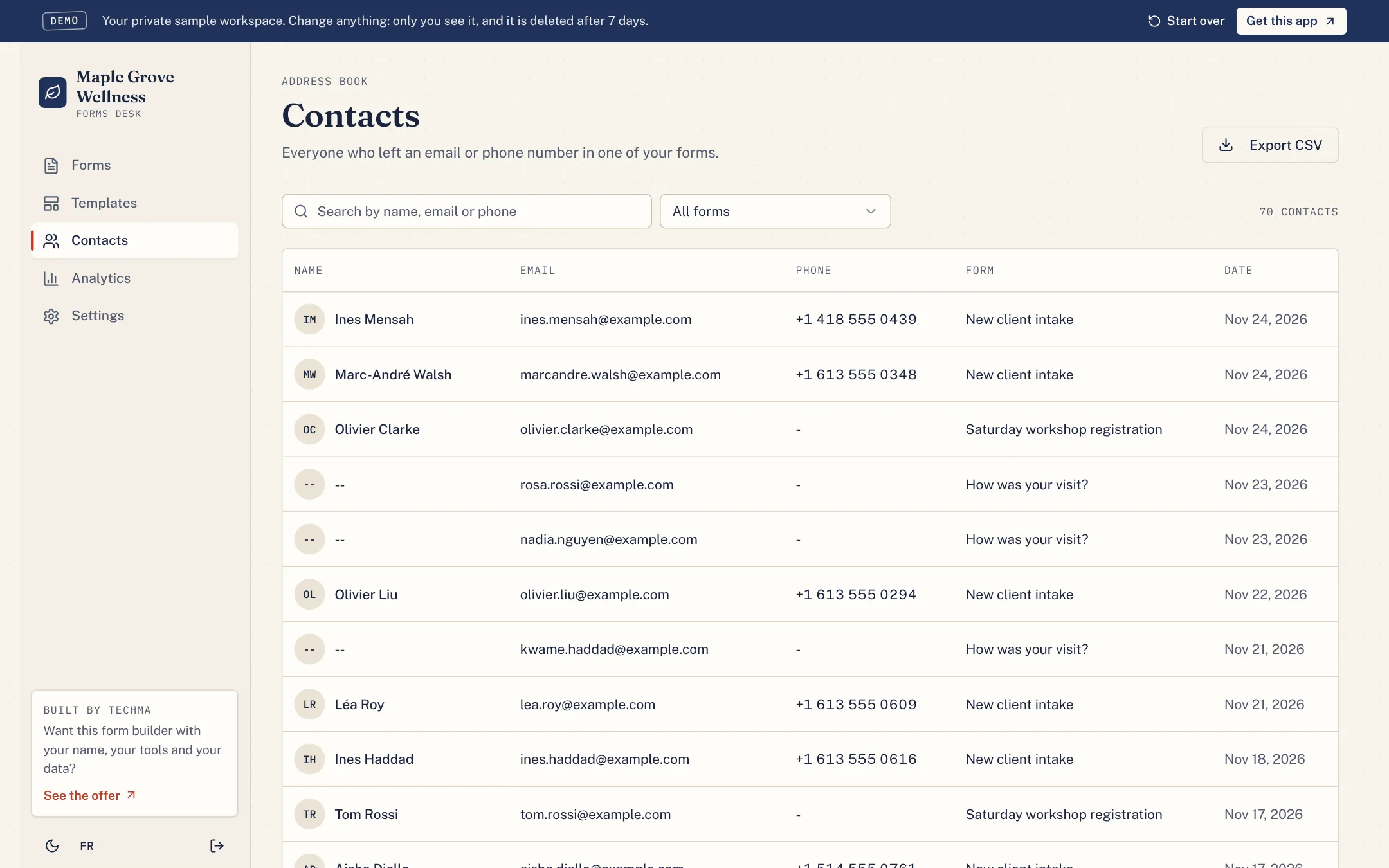
Why this template fits
Embed a short form on each landing page, match its questions to lead fields once, and every answer becomes a lead.
The contacts page lists everyone who left an email or phone, by form, with an export.
What the template includes today
Everything below works in the live demo. Open your sample workspace in one click and try each part.
- A form builder with 15 question types, sections, click or drag to add, saved as you type.
- Two layouts: one question at a time, or the whole form on one page.
- Conditional logic on choices, yes or no, numbers and text.
- Design per form: colours, font, button corners, progress style, welcome and thank-you screens.
- Sharing by link, downloadable QR code and website embed; publish and back to draft.
- Answers in a searchable table with CSV export, contacts built from your forms, and statistics.
- Stripe payments and Zoho CRM leads, email alerts, a team with roles, eight templates and your own.
- English and French, for the app and for each form, on desktop and phone.
What TECHMA can add for you
- HubSpot, Salesforce or Pipedrive instead of, or with, Zoho
- Lead scoring from the answers
- Campaign tracking on each answer
- Round-robin assignment to salespeople
These are not in the demo. They are the kind of additions TECHMA builds when it adapts the template, quoted with the rest.
Three ways to use this template
- Buy the source code. You get the full application and the steps to put it online on your own accounts. Your developers change what they want. No fee per answer or per user.
- Have TECHMA adapt it. We put your name and colours on it, add the questions, rules and connections you need, and move your existing forms in.
- Let TECHMA run it. Your version, hosted, backed up and updated by TECHMA. Your team just uses it.
Prices are on quote, because the three options differ a lot in scope. The first call is free and ends with a clear number.
What the code is made of
| Part | Technology |
|---|---|
| Screens | React 18 and TypeScript, built with Vite, styled with Tailwind CSS and Radix UI components |
| Server | Node.js with Express, a JSON API |
| Database | PostgreSQL, tables described in code with Drizzle ORM |
| Payments | Stripe, with each business's own account |
| Hosting | Runs on Vercel in the demo; any Node.js host works |
The app creates its own tables on first start, and a developer can run a copy locally with an in-memory database in minutes.
How to start
- Open the demo. One click, no account. Build a form, add a rule, publish it and answer it from your phone.
- Note what is missing for your business. A question type, a connection, the step that follows an answer.
- Book a free call with TECHMA. Bring that list. You leave with the option that fits and a price.